
XML Sitemap Generator (100% FREE)
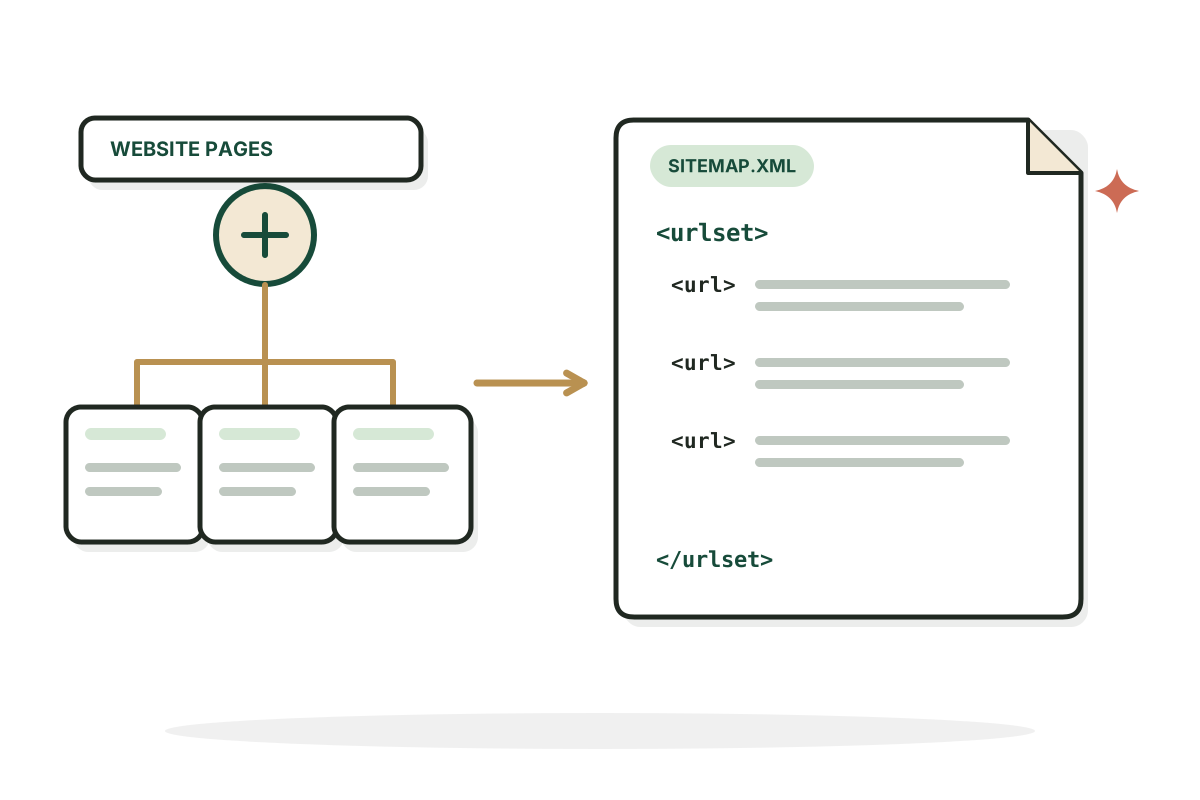
This xml sitemap generator turns the URLs you paste or upload into a correctly formatted sitemap.xml file, flags problems and lets you download it. No account, no invented pages, no AI call.
Build a sitemap from the pages you actually have.
Free, no signup. Runs in your browser, nothing is sent anywhere.
Paste your URLs and press Generate Sitemap. Your sitemap.xml appears here.
How it works
How to use the XML Sitemap Generator in three steps.
- Step 1
Add your URLs
Paste your canonical URLs, one per line, or upload a URL export as CSV or TXT.
- Step 2
Review the report
Correct anything invalid, duplicated or on another domain.
- Step 3
Download and submit
Download sitemap.xml, upload it to your site and submit its URL in Search Console.
Examples
Sitemaps, built from real lists.
Illustrative inputs to show what the generator does. Your output only ever contains the URLs you give it.
A small site with relative paths
Input: Domain https://example.com, then /, /about and /products/desk-mat. No dates were supplied, so none are invented.
ResultOne urlset with three absolute loc entries and no lastmod dates.
A CSV export with dates
Input: A CSV with url and lastmod columns for 40 blog posts, two rows repeated. Dates come from your file, not from today's date.
Result38 URLs with their own lastmod dates. 2 duplicates removed.
A mixed list
Input: URLs from example.com plus two from shop.example.net. A sitemap should only list URLs on the host it is published for.
ResultThe two other domain URLs are listed separately and left out of the file.
Good to know
What belongs in a sitemap.
Only the pages you want found
Include the canonical, public URLs you want crawled and considered for search. Leave out drafts, login pages, duplicates, URLs returning errors, redirected pages and pages you have set to noindex. This generator formats the list you provide. It does not confirm Google will index any URL.
What a sitemap can and cannot do
A sitemap helps search engines discover preferred URLs. It is not a ranking boost or an indexing guarantee. Keep it current, publish it at an accessible URL and link it from robots.txt. If your website already creates a sitemap automatically, use that built in system instead of uploading a static replacement.
Limits per file
One sitemap can hold up to 50,000 URLs and 50 MB uncompressed. Bigger lists are split into several files with a sitemap index that points to each one.
FAQ
Questions, answered.
What is an XML sitemap?
An XML document listing URLs you want search engines to discover. It can optionally include accurate modification dates.
Does this tool crawl my whole website?
No. It only includes the pages you paste or upload. It doesn't visit your site.
Should every URL include lastmod?
No. Add it only when you know the page was meaningfully updated. Leaving it out is better than guessing.
How many URLs fit in one sitemap?
Up to 50,000 URLs and 50 MB uncompressed per sitemap. Larger sets need multiple files and a sitemap index.
Where do I upload sitemap.xml?
Usually to your site's root, such as https://example.com/sitemap.xml, or another accessible location you reference in robots.txt and Search Console.
Will a sitemap make Google index every page?
No. A valid sitemap helps discovery. Indexing still depends on crawl access, canonicalization, page content and Google's own decisions.

Pages not getting indexed? Let's find out why.
I help SaaS teams fix the technical SEO that stops good pages from being found.
See SEO services