
Robots.txt Generator (100% FREE)
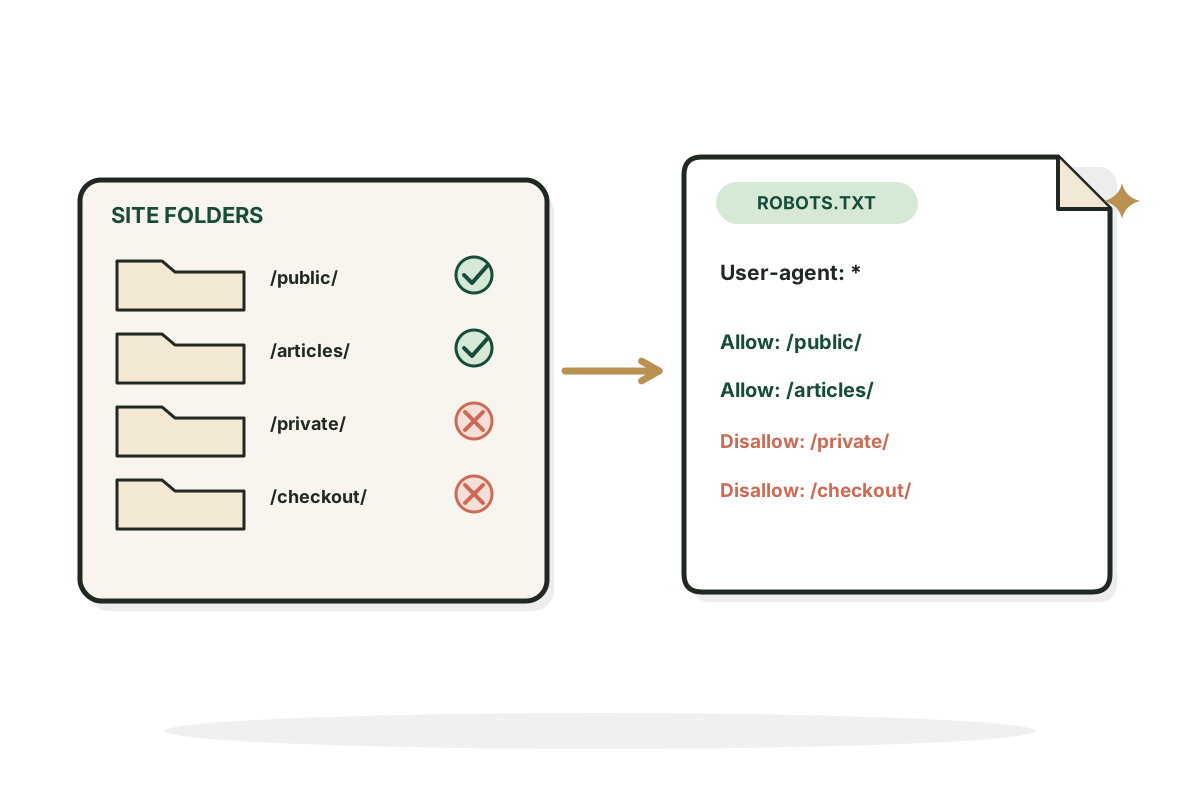
This robots.txt generator lets you choose which public paths crawlers may access, add your sitemap, and copy a clean file with a readable explanation of each rule.
Create a robots.txt file you can actually understand.
Free, no signup. Runs in your browser, nothing is sent anywhere. Robots.txt does not password protect pages and is not a reliable way to prevent URLs from being indexed.
User-agent: *
Disallow:
Upload it to the root of your site so it opens at https://yoursite.com/robots.txt.
How it works
How to use the Robots.txt Generator in three steps.
- Step 1
Add your site and paths
Enter your site and the paths crawlers should avoid.
- Step 2
Review the rules
Check the exact allow and block rules and the warning about private information.
- Step 3
Upload and test
Save the file as robots.txt at the website root and check it with the Robots.txt Tester.
Examples
Robots.txt files, rule by rule.
Illustrative setups only, using example.com. Your paths will differ.
Block a staging folder
Input: Site https://example.com, block /staging/, sitemap /sitemap.xml. Crawlers skip the staging copy and still find the sitemap.
ResultUser-agent: * / Disallow: /staging/ / Sitemap: https://example.com/sitemap.xml
Skip internal search
Input: Site https://example.com, block /search, sitemap /sitemap.xml. Stops crawlers wasting time on endless internal search result URLs.
ResultUser-agent: * / Disallow: /search / Sitemap: https://example.com/sitemap.xml
Allow everything
Input: Site https://example.com, no blocked paths, sitemap /sitemap.xml. A simple open file that still points crawlers to the sitemap.
ResultUser-agent: * / Allow: / / Sitemap: https://example.com/sitemap.xml
Good to know
What robots.txt does, and what it doesn't.
Robots.txt controls crawling, not confidentiality
The file tells cooperating crawlers which paths they may request. It is public and anyone can read it. Never put confidential folder names or secrets in it to hide them. Private content needs real authentication.
Common mistakes
Blocking the entire site can stop search engines reaching pages you want indexed. Blocking JavaScript, images or CSS needed for rendering causes problems. A URL can still show in results when crawling is disallowed, so use an accessible noindex when preventing indexing is the goal.
Sources
Rules follow Google's guides on creating a robots.txt file and the robots.txt specification, checked October 2026.
FAQ
Questions, answered.
What is robots.txt?
A public text file at the root of a host that gives cooperative crawlers instructions about paths they may crawl.
Where should I upload it?
At the root, such as https://example.com/robots.txt.
Can robots.txt block Google from indexing a URL?
A Disallow blocks crawling but the URL can still appear in results. Use indexing controls for that.
Should I block login or admin pages?
Use authentication and proper security. Robots.txt alone doesn't protect them.
How do I include a sitemap?
Add a Sitemap: line followed by its full absolute URL.
Can I create rules for a particular bot?
Yes. Add a User-agent group for it and check how that crawler interprets rules.
Want a site search engines love?
I fix technical SEO and content for SaaS companies so the right pages get found.
See SEO for SaaS