
Free LinkedIn tools
Free LinkedIn Headline Generator
Free LinkedIn headline generator for a headline that tells people what you do, without making them guess. Choose your goal, add your role and the skills you actually use, and get a headline that sounds like a professional, not a list of buzzwords.
Your words, your facts
What should your headline say?
Required fields are marked. Everything else is optional, but one real detail makes a big difference.
Three steps
How to use the free LinkedIn Headline Generator
- Step 1
Choose the right goal
Pick the profile type, audience or use case so the result fits what you are trying to do.
- Step 2
Add the details you know
Required facts are clearly marked. Anything else is optional, but a real example usually improves the output.
- Step 3
Review and copy
Read the headline, make it sound like you and check the facts before adding it to LinkedIn. Not right yet? Refine it or try another version.
Your result
What you get from the headline tool
- One truthful headline within LinkedIn's 220 character limit.
- Your role and main keyword in the first 60 characters, the part search and comments show.
- A live count and an approximate profile and search preview.
- Target roles written as aspirations, never as titles you already hold.
The practical guide
What is a LinkedIn headline?
It is the short line below your name on your profile and in many LinkedIn previews. It should help the right person understand your role, expertise or professional goal before clicking through.
Guide
How long can a LinkedIn headline be?
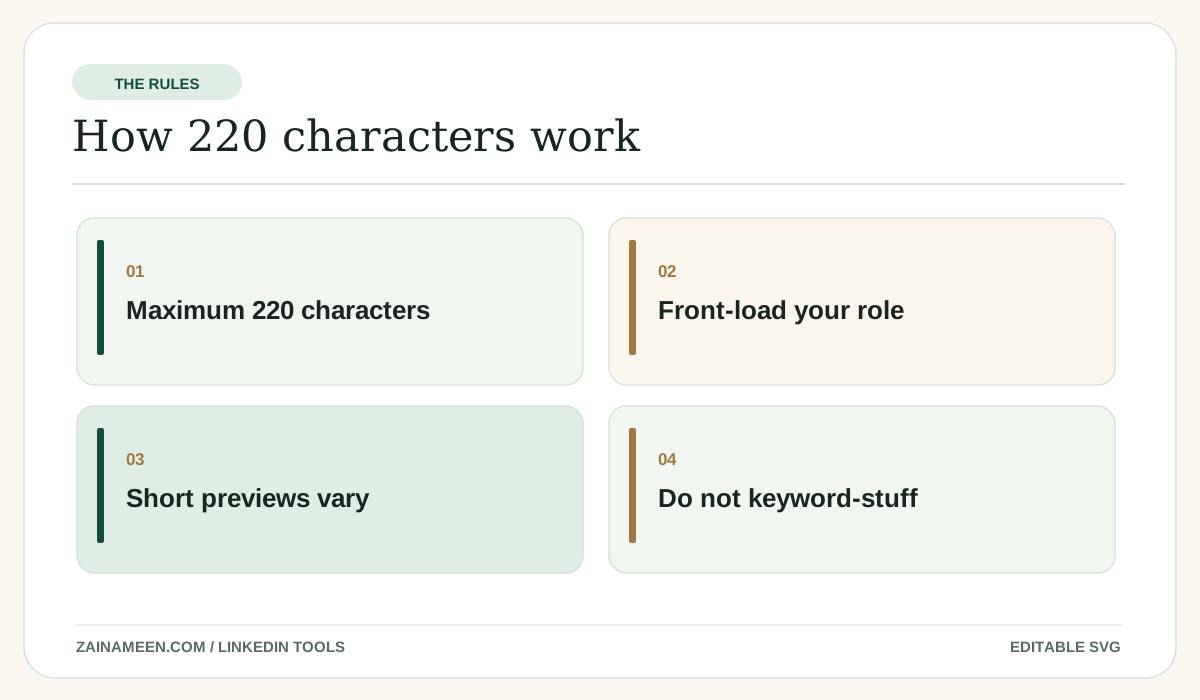
LinkedIn uses a 220 character headline limit. You do not have to fill it. Different LinkedIn screens show different portions, so put the most useful words first.
Guide
A simple headline formula
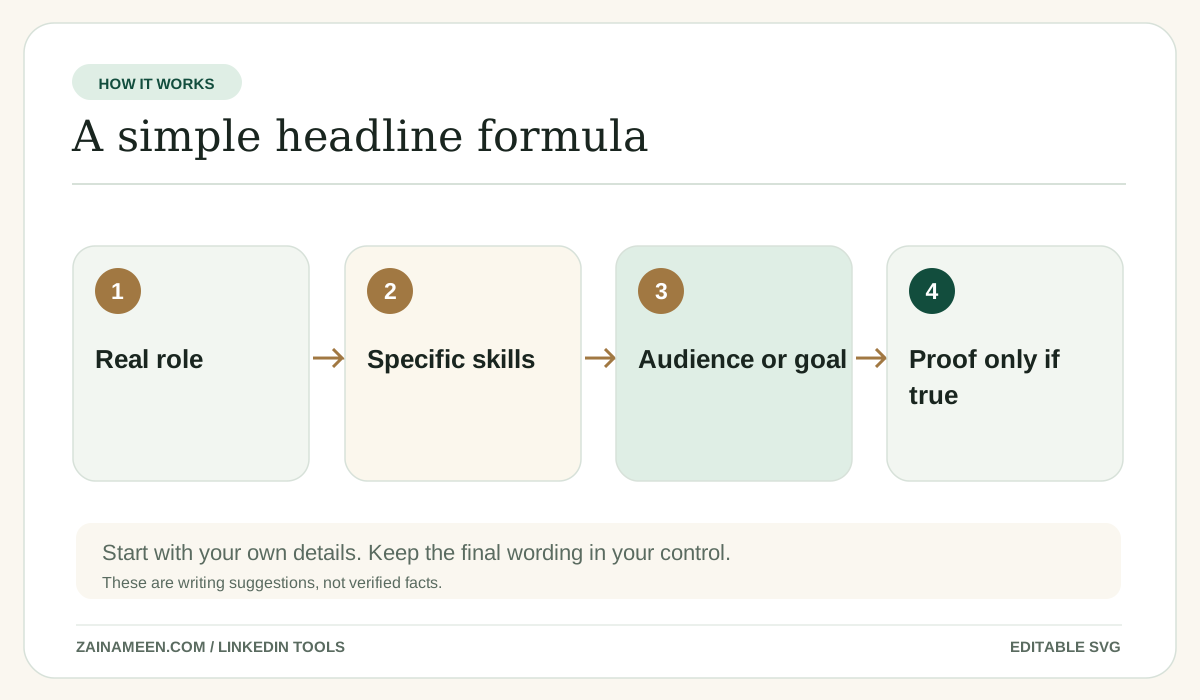
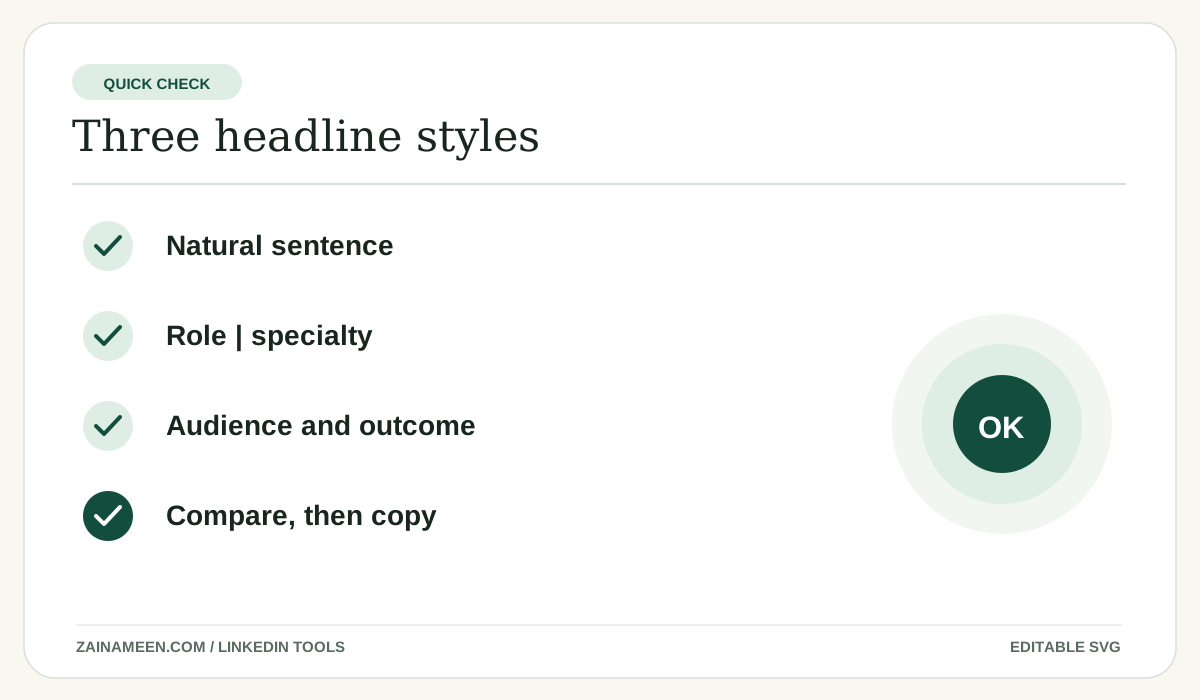
Start with your real role or target role. Add a few specific strengths. Finish with your audience or a result if you have genuine proof. You can write this as a sentence or as natural sections; pick the style in the form.
Guide
LinkedIn headlines for job seekers
If you want to become a product analyst, “Aspiring Product Analyst | SQL, Excel and customer research” is clearer than claiming to already hold a senior position. Job seekers should lead with actual skills and make career goals explicit.
Guide
LinkedIn headlines for founders and consultants
Say who you help, what you do and the problem you solve. “SEO consultant for local service businesses” is more useful than “Visionary growth ninja and thought leader.”
Guide
Keyword use without keyword stuffing
Use normal role and skill names that a recruiter or client would understand. Repeating the same phrase several times does not make a headline more trustworthy or readable.
Guide
Where LinkedIn headlines appear
Headlines can show on profiles, in search results and beside comments. The visible space differs, so the preview here is illustrative rather than pixel perfect.
Examples to copy and adapt
Examples you can learn from
These examples are illustrative, not claims about any real person.
Job seeker
Marketing analyst | GA4, Excel and campaign reporting | Exploring growth roles
Founder
Founder helping small service businesses improve their websites and customer journey
Consultant
SEO consultant for SaaS and service businesses | Keyword strategy and content planning
Common mistakes
Mistakes to avoid
Trying to sound impressive instead of clear
Use language a real reader would understand.
Letting AI add details you never provided
Review every job title, project and statistic, especially when you paste a resume or job listing.
Writing for the character limit instead of the reader
Short enough to be understood is more important than filling the entire field.
Treating a draft as something already published
This tool generates text. A human chooses what to post or add to LinkedIn.
Questions, answered