
Customer Retention Rate Calculator (100% FREE)
This customer retention rate calculator shows how many of your existing customers stayed. Enter three customer counts from the same period to calculate retention and see what the number does, and doesn't, tell you.
How many of your existing customers stayed?
Free, no signup. Runs in your browser, nothing is sent anywhere.
80%
| Existing customers still with you (E − N) | 160 |
|---|---|
| Existing customers lost | 40 |
| Implied customer churn | 20% |
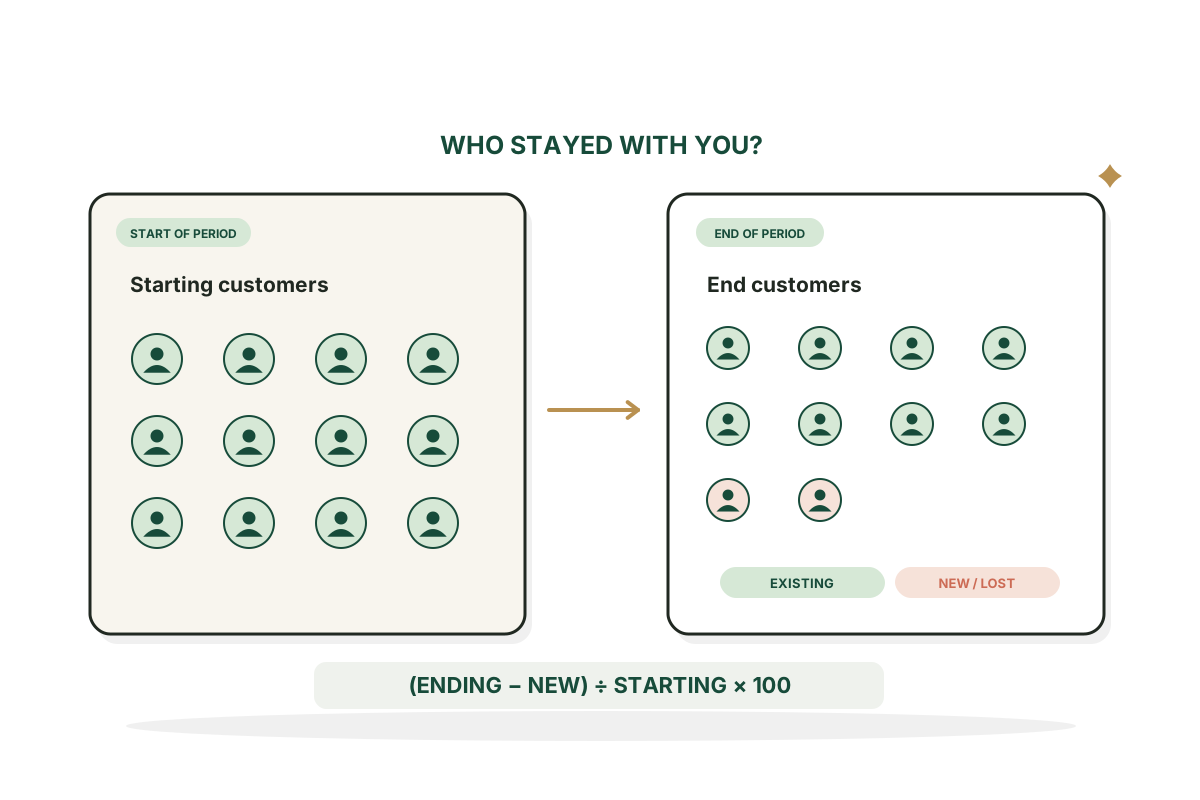
Retention = (E − N) ÷ S × 100. Reactivations and account merges can break this simple formula; cohort data is more precise.
How it works
How to use the Customer Retention Rate Calculator in three steps.
- Step 1
Pick one period
Choose one period and one consistent definition of an active customer.
- Step 2
Enter three counts
Enter customers at the start, new customers gained and customers at the end.
- Step 3
Check the assumptions
Read the retention rate and the assumptions behind it.
Examples
Retention, worked through.
Illustrative numbers to show the formula. They aren't benchmarks.
A growing customer base
Input: Start 200, new 50, end 210. The ending count looks healthy, but 40 existing customers left.
ResultRetained 160 of 200. Retention 80%.
No new customers
Input: Start 500, new 0, end 470. With no new customers, the ending count is all retained ones.
ResultRetention 94%.
Inconsistent inputs
Input: Start 100, new 10, end 120. Usually reactivations or a changed definition. The result isn't clamped.
ResultWarning: 110 retained is more than the 100 you started with.
Good to know
Reading retention properly.
New customers aren't retained old customers
If you add many customers, the ending count can look healthy while earlier customers leave. Subtract new customers before measuring how much of the original group stayed.
Cohorts are more precise when available
The three number formula assumes you can separate ending customers into new and retained. Reactivations, transfers or multiple accounts break that. For detailed SaaS analysis, use defined cohorts and consistent event data.
Formula
Retention = (customers at end minus new customers) ÷ customers at start × 100.
FAQ
Questions, answered.
How is retention rate calculated?
Subtract new customers from customers at the end, then divide by customers at the start.
Can retention exceed 100%?
Not under these assumptions. A result over 100% points to inconsistent inputs or reactivations.
Is retention the opposite of churn?
In a simple fixed group, yes. In real reporting, definitions and reactivations make it less neat.
What is a good retention rate?
It varies widely by product, how often people buy and the period measured. Avoid one universal benchmark.
Should I count free users?
Pick one consistent definition. Paying customer retention and active user retention answer different questions.
Is this the same as net revenue retention?
No. Customer retention counts customers. NRR measures recurring revenue changes from existing customers.



Customers slipping away? Let's find out why.
I help SaaS founders improve the growth loop, not just the top of the funnel.
See growth consulting