
Free social media tools
Free Facebook Caption Generator
Free Facebook caption generator for posts that don't need to sound clever, just worth reading. Upload a photo or tell us what you're posting about, choose the kind of post you want, and get five caption ideas you can edit and copy.
Personal photos, small businesses, Reels, group updates. Start with a caption that actually fits.
Your post, in your words
What are we writing a caption for?
Don't have a description ready? Start with the dropdowns. Adding a few real details makes the results better.
Three simple steps
How to use the Facebook Caption Generator
You don't need to know exactly what to write before you start.
- Show us the post. Upload a photo or choose what you're posting about. A picture of your new products is a useful start. A sentence like “we're opening one hour earlier this Friday” is even better because it gives the caption a real detail.
- Pick your style. Choose where you're posting, who will read it, and the kind of message you want. Keep it simple, funny, informative or somewhere in between. You can ask for a short line or a longer story.
- Edit and copy your favorite. Compare five approaches. Edit anything that doesn't sound like you. Check the facts, copy the one you like and paste it into your Facebook post.
The basics
What is a Facebook caption generator?
A Facebook caption generator writes the text that goes with a Facebook photo, video, Reel or regular post. Instead of starting with a blank box, you give it a topic, a few options or a picture and it suggests what to say.
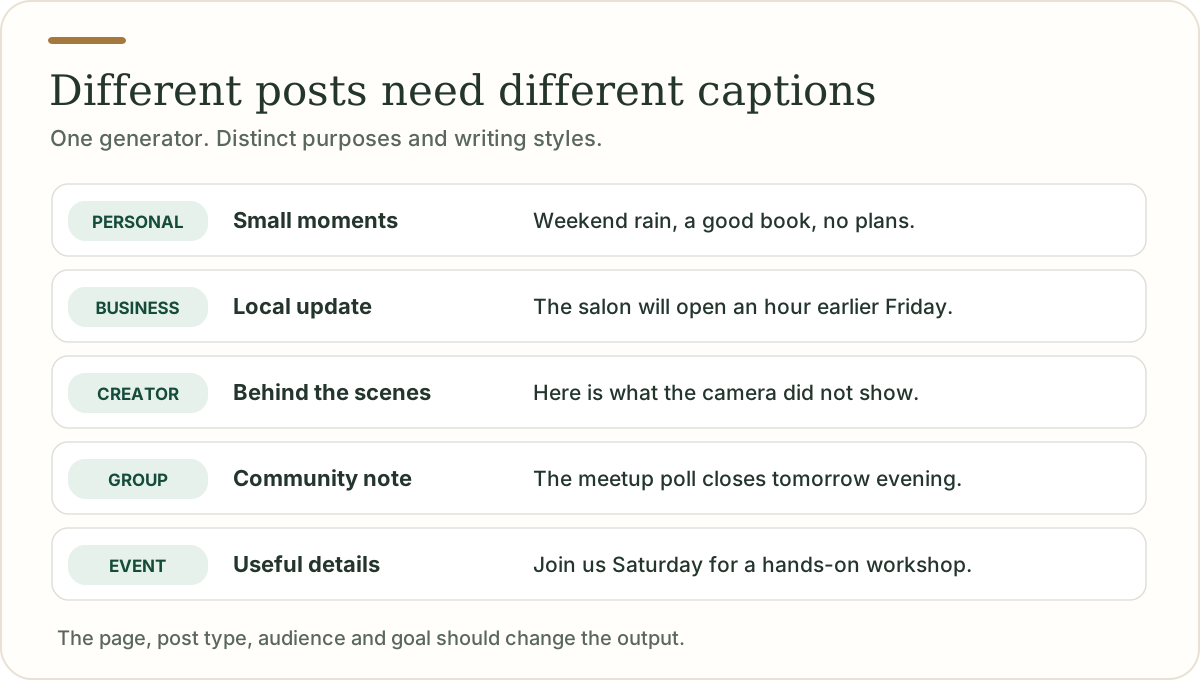
For a personal post, that might be one funny line under a holiday photo. For a business Page, it might be a clear announcement about a new service. For a community Group, it might be a friendly update explaining what members need to know.
It's a writing helper, not an automatic publishing tool. You still decide what to post, and the final caption should reflect something real.

The craft
What makes a good Facebook caption?
Start with the useful part
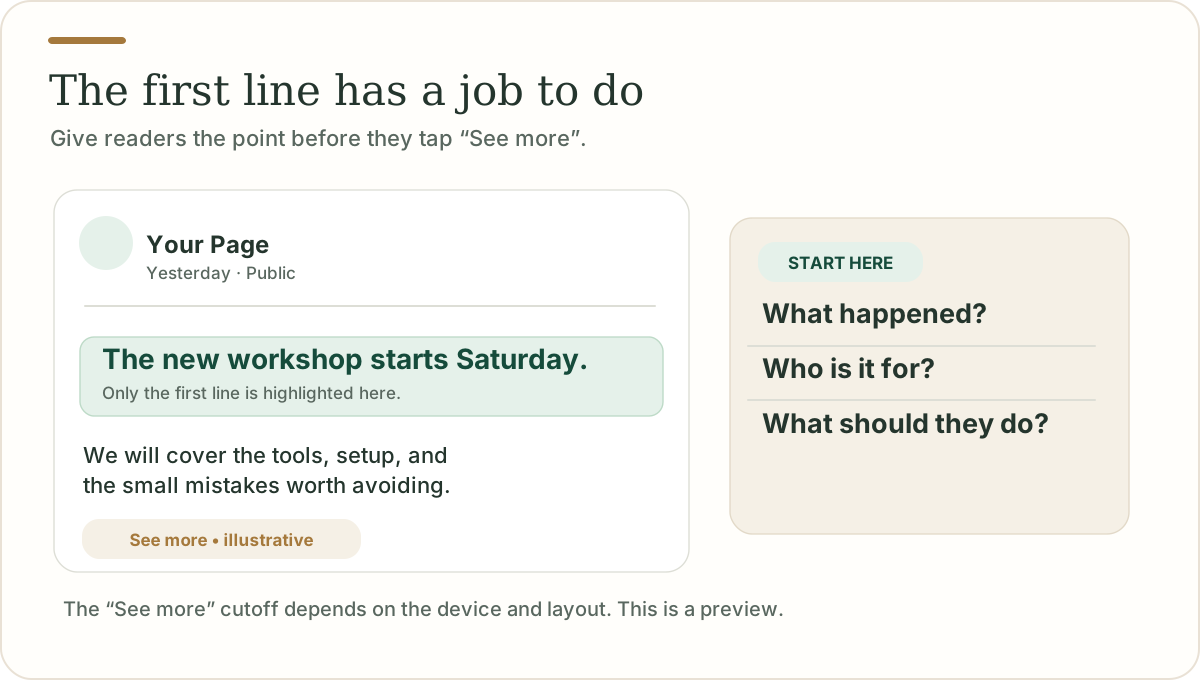
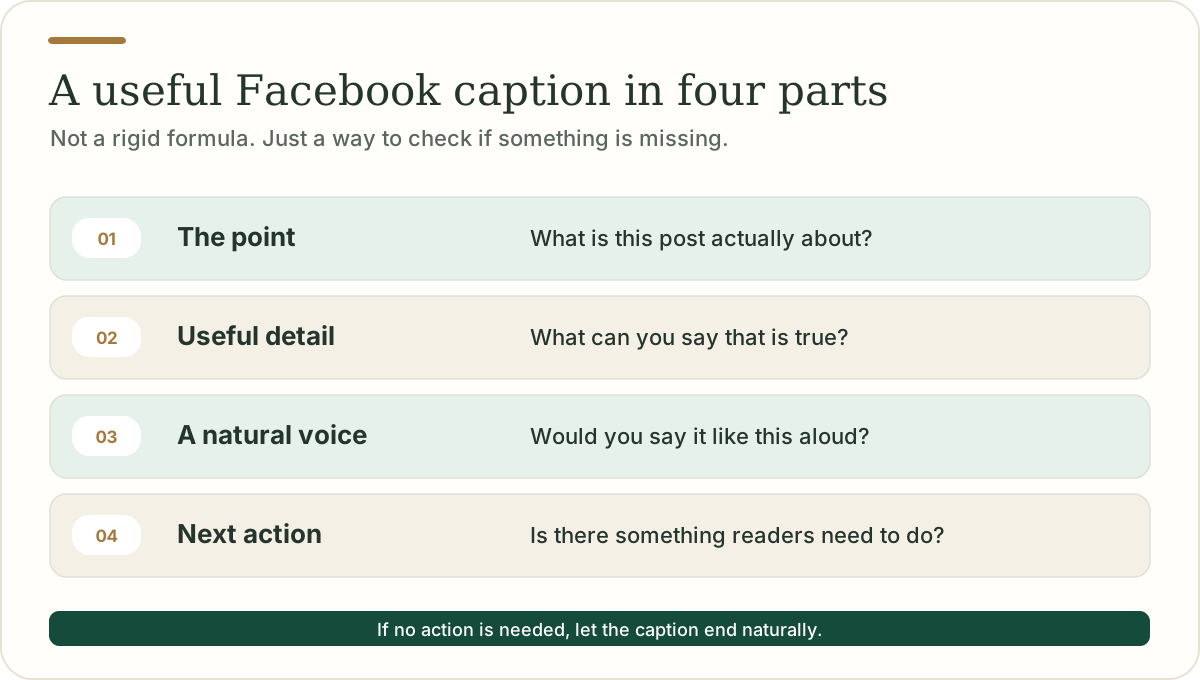
The first sentence should tell people why the post matters. It might be a detail, a little story, a helpful tip or a specific announcement. “We're opening at 8 on Friday” says more than “Something exciting is coming!”
Longer Facebook posts may collapse behind See more, and the point where that happens depends on the device and layout. There's no universal number of characters that everyone sees first. That's why we preview the opening line without pretending to know the exact cutoff.
Write like you normally talk
Your caption doesn't need a marketing voice. “We made another batch of the chocolate cookies because you kept asking” sounds more like a real business than “We are absolutely thrilled to unveil our premium range.”
Add a detail the picture doesn't show
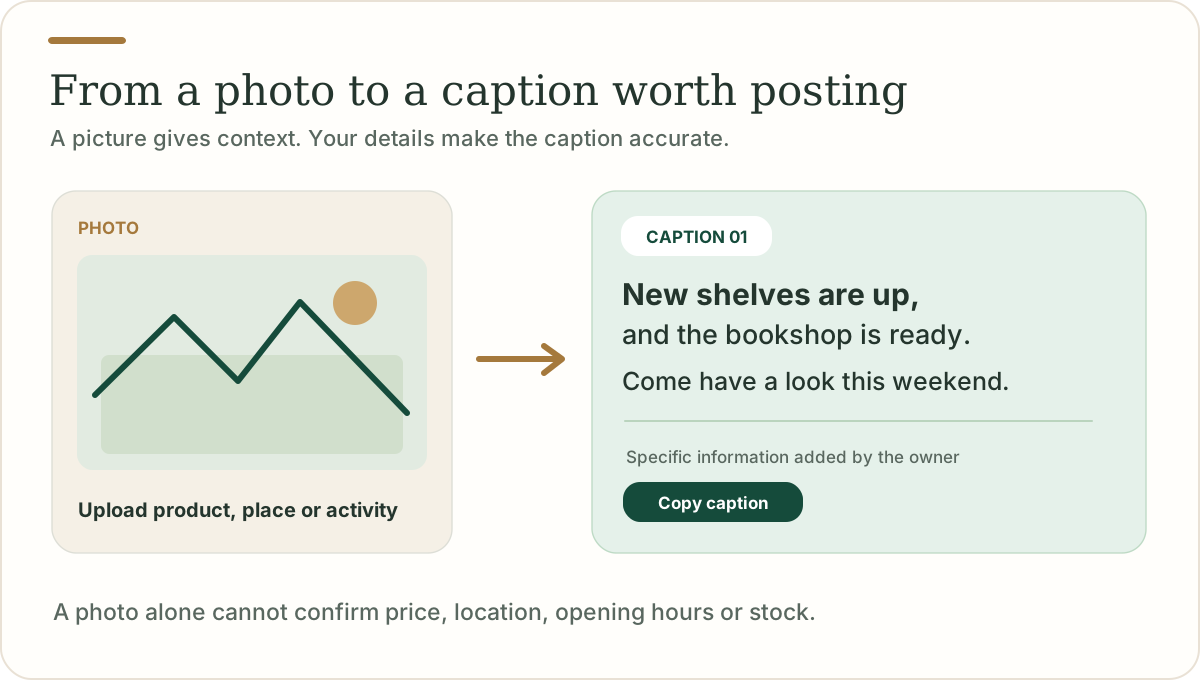
A photo shows the product. The caption can explain what changed, why it matters or what happens next. For a local business, that may be opening hours or availability. For a creator, it may be the story behind the clip. For a personal post, it might be the memory you're trying to capture.
Ask a question only when it fits
A good question comes naturally from the post. A bad question is added only to collect comments. Not every update needs a call to action. Sometimes a clear sentence is enough.
Length
How long should a Facebook caption be?
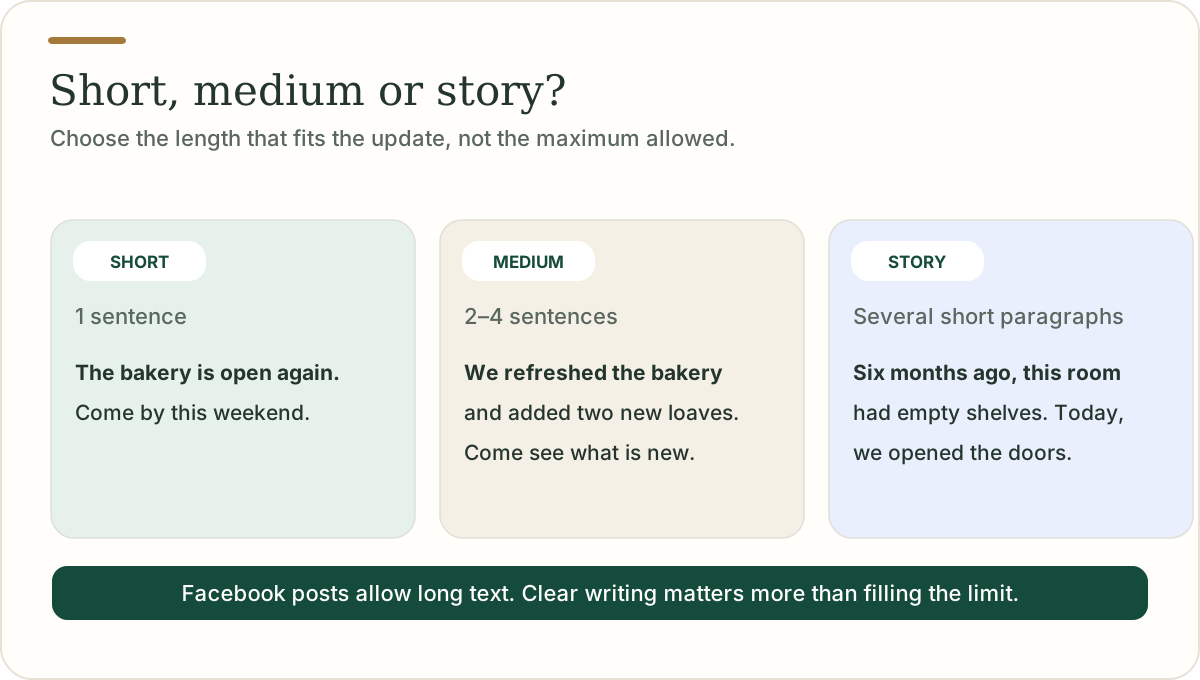
Facebook posts allow up to 63,206 characters, according to Hootsuite's October 2026 publishing documentation. That is a technical maximum, not a writing target. Most everyday updates are much shorter.
Short: One or two sentences. Good for a photo, quick update, simple joke or Reel.
Medium: Two to four sentences. Helpful for new products, events, local businesses and tips that need some context.
Story: Several short paragraphs. Useful when the real story is the point, such as a personal milestone, behind the scenes experience or founder update.
Our length setting shapes the draft but never adds filler just to hit a number. Every result shows its character, word and hashtag count as you edit.
Copy and paste ideas
Facebook caption examples you can actually use
These are original sample captions. The businesses and updates are hypothetical. Change the details before posting.
Short captions for Facebook photos
- One of those afternoons I wish came with a replay button.
- The coffee was average. The company was not.
- Still finding sand in my shoes. Worth it.
- Nothing on the calendar, which was exactly the plan.
- An ordinary Tuesday that turned out pretty well.
Funny Facebook captions
- Went out for one thing. Returned with five things and no explanation.
- I have a plan. Whether I follow it is a separate issue.
- The camera roll says I had a good weekend. My laundry says otherwise.
- Trying to be spontaneous, but I'd like three days' notice.
- My most consistent hobby is starting another hobby.
Facebook captions for small businesses
- We added two new appointment times this week. If evenings work better for you, check the updated schedule on our Page.
- A new batch is on the counter today. Same recipe, just a little more cinnamon.
- We moved the fitting area to the front of the shop so there's more room to see what works.
- This week's workshop is about getting started with the basics, not buying another pile of equipment.
- A quick reminder: our hours change next Monday. The updated times are listed on the Page.
Facebook captions for creators
- This is the part of the project you don't usually see: the messy middle where nothing lines up yet.
- I tried the simpler version first. It turned out to be the one I liked most.
- Three things I learned making this, including one I probably should have known already.
- Behind this 30 second video was a very long afternoon.
- A small change to my process made the biggest difference this week.
Facebook Group and community captions
- The weekly discussion is open. Share one thing you're working on and one thing you've figured out.
- A reminder for new members: the resource list is pinned at the top of the Group.
- We've added a beginner thread so questions don't get lost between the longer discussions.
- Next week's topic is up for discussion. Tell us what would be genuinely helpful to cover.
- Thanks to everyone who shared examples this week. They made the guide much more practical.
Captions for products, events and announcements
Product: The new notebook cover is here. Same simple layout inside, with a softer cover and two additional colors.
Event: The neighborhood craft session is happening Saturday afternoon. We'll cover the basics, and you can bring questions.
Offer: There's a weekend promotion on selected items. Check the product pages for the exact prices and terms before ordering.
Announcement: We're testing a new opening schedule next month. We'll share the confirmed hours once they're finalized.
Reel: Three small fixes that made the workspace feel twice as usable.
The generator never invents specific dates, prices or other claims you haven't given it.
Before and after
Fixing a generic Facebook caption
Before:
We're so excited to share some amazing news with you! Stay tuned for more updates. Don't forget to like and share!
After, when the real detail is known:
The second studio room opens on Monday. More space for evening classes, and a little less waiting for everyone who asked about them.
The second caption says what changed and why people might care. There's no need to pretend every post is a major announcement.
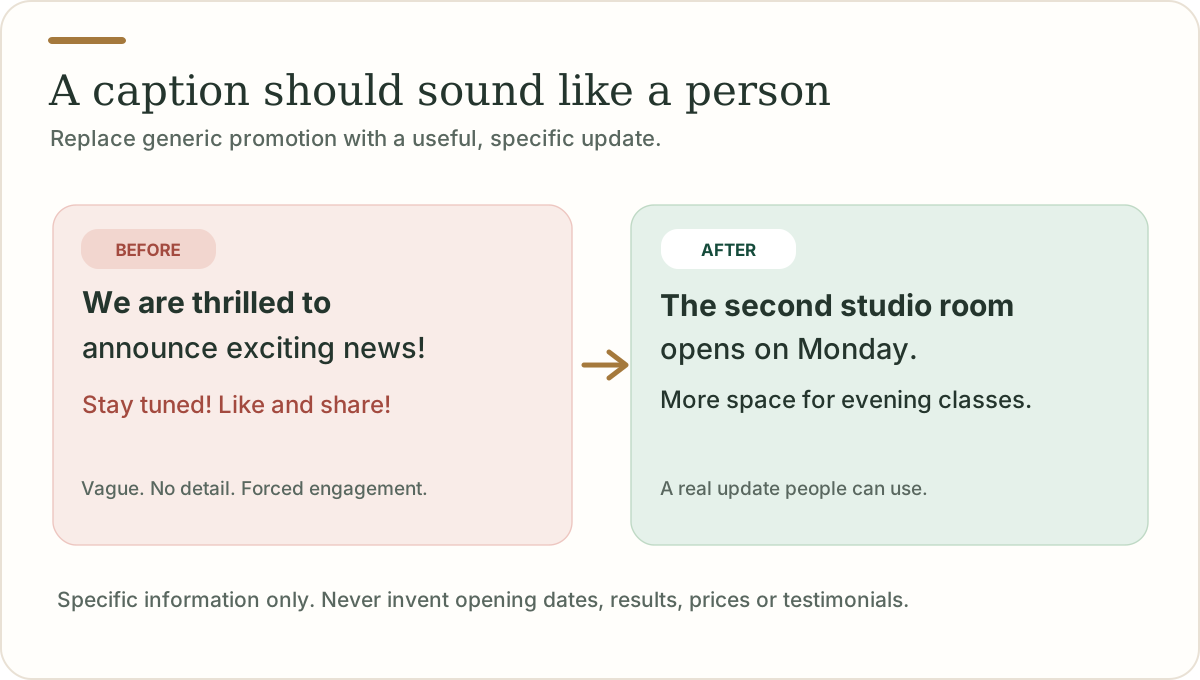
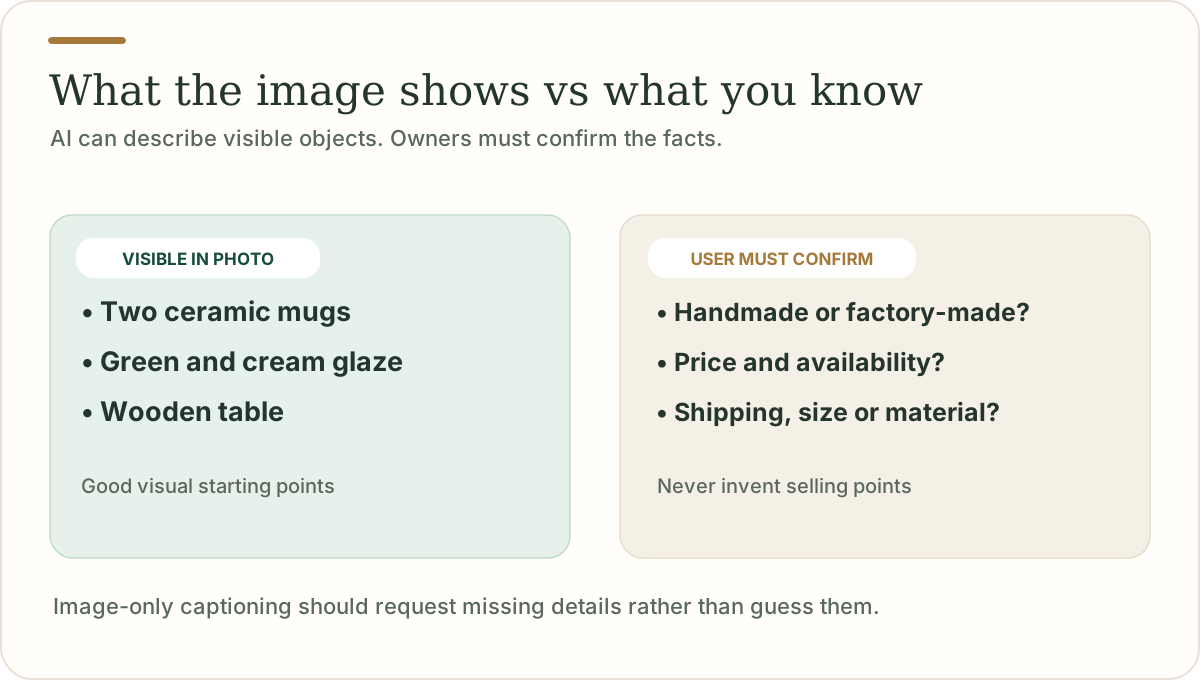
Photo captions
How to generate Facebook captions from a photo
Upload a product photo, event image or everyday snapshot. An image capable AI can identify visible objects, colors and scenes, then suggest caption ideas that match the post.
But a photo can't reliably tell the model the price of a product, the name of a location, whether something was handmade, whether a store is open or how a customer feels. Those details need to come from you.
For example, the tool may recognize two mugs on a wooden table. It won't say “handmade ceramic mugs, now 30% off with free shipping” unless you supplied those facts.
Tip: add one sentence about why you're sharing the photo. That's usually more useful than a long list of adjectives.
Genuine conversations
Facebook captions that feel natural, not forced
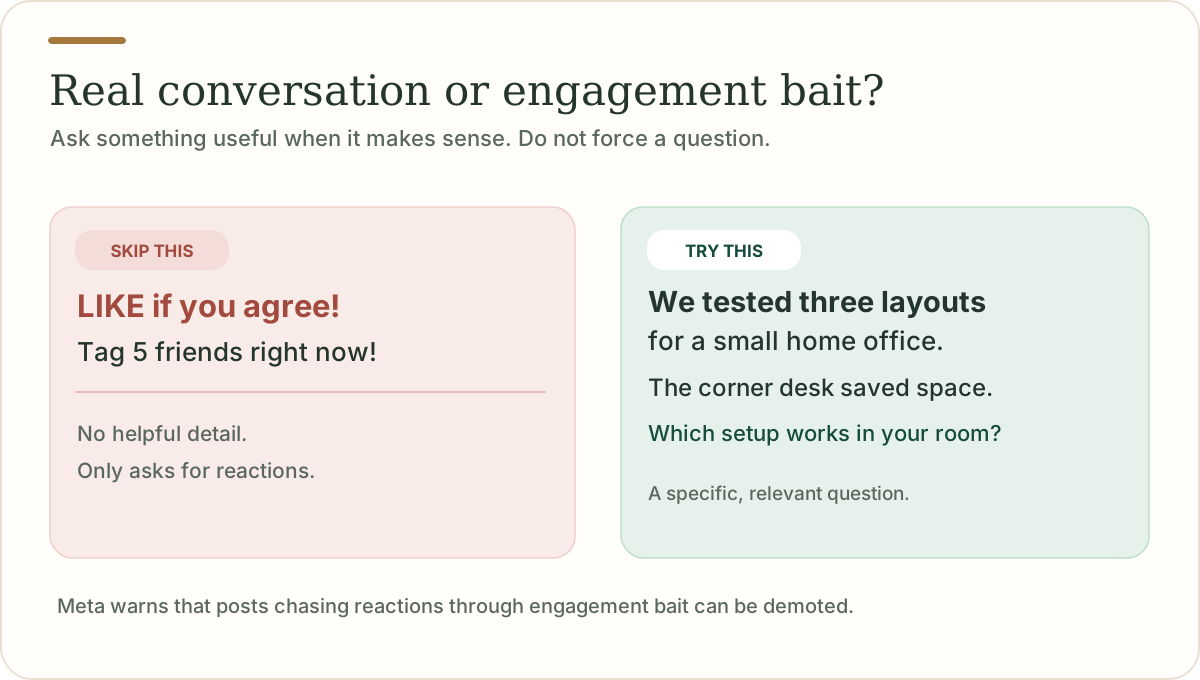
Facebook is built around people sharing things with other people. A caption doesn't have to push every reader to comment, click or buy.
Meta warns against engagement bait and against irrelevant captions and excessive hashtags. Instead of “LIKE if you agree,” say something real. You can still ask a genuine question when it helps your audience, such as asking members which workshop topic would be useful next month.
For business Pages
How to write a Facebook caption for a business Page
Start with what the customer needs to know. If it's a local business, focus on a clear update, an answer to a common question, an available service or a specific event. Don't make up urgency or claim a product is selling out.
For a salon, that might mean a new booking time. For a bakery, it might be which loaf is back. For a service business, it might be one useful tip and an invitation to learn more.
When asking the generator to write promotional copy, add the exact offer, date, price and conditions under Add more details. If you don't know them yet, the tool keeps the wording general.
Two different tasks
Facebook caption vs Facebook video subtitles
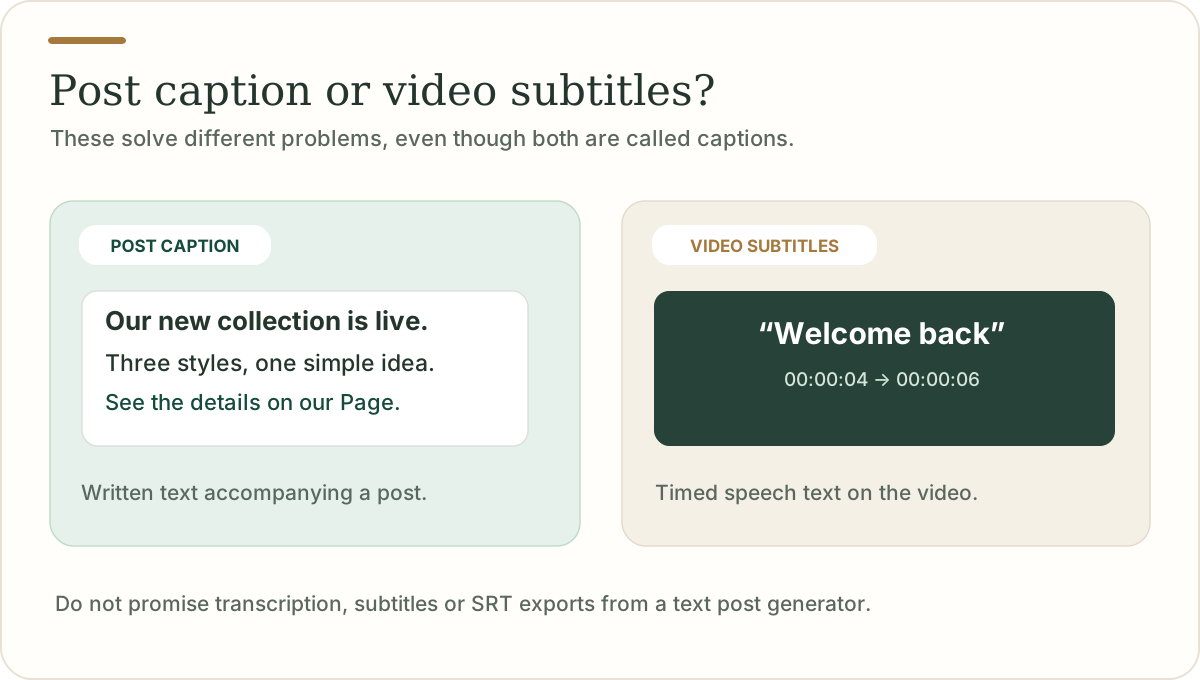
A post caption is the writing above or alongside a photo, video or Reel. It explains the post, introduces a topic or adds context.
Video subtitles (also called closed captions) are timed words associated with the spoken audio in a video. They serve accessibility and viewing purposes and may be generated through Facebook or video editing tools. They are not created by this caption generator.
If you need video transcription, timestamped text or SRT subtitles, use a dedicated subtitle tool. The tools solve different tasks.
Easy to fix
Common mistakes to avoid
Starting with "We're thrilled to announce"
Say the actual announcement instead.
Writing the same caption for every photo
Match the content to the specific image.
Inventing proof
Avoid made up customer quotes, numbers, prices, dates and promises.
Turning every ending into a question
Ask only when you want a real answer.
Adding five unrelated hashtags
Describe the post, don't decorate it with tags.
Posting something longer than the message needs
Long stories can work, but long introductions rarely help.
Treating AI output as final
Edit for your facts and your voice before publishing.
Questions, answered