
Email Preheader Generator (100% FREE)
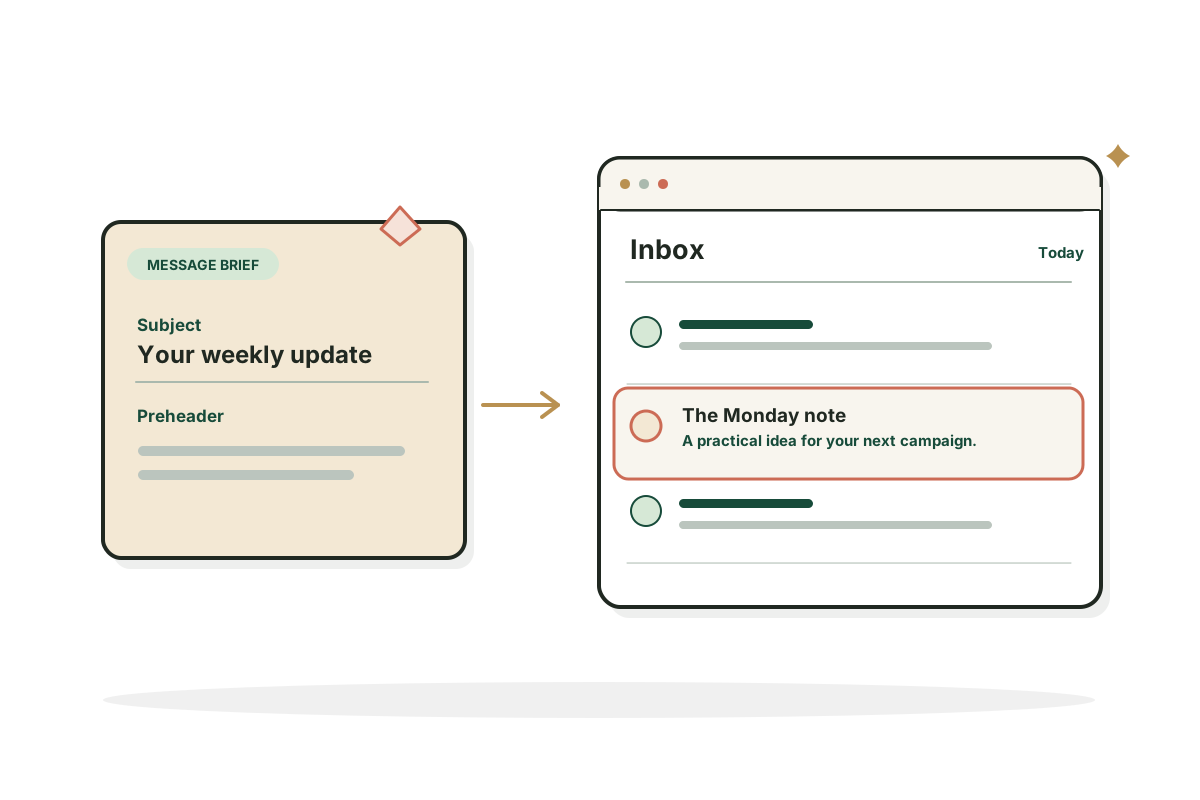
This email preheader generator takes your subject and what your email says, then writes one preheader that adds context instead of repeating the subject.
Give your email a better second line.
Free, no signup. What you type is sent to an AI provider to write your result and isn't stored, so don't include anything private.
Your result shows up here. You get one result, and you can regenerate it or edit it.
How it works
How to use the Email Preheader Generator in three steps.
- Step 1
Paste the subject line
Add the subject exactly as it will be sent.
- Step 2
Explain the email
Describe the email's main point and who receives it.
- Step 3
Review and copy
Read the preheader beside the subject, then copy it into your email platform.
Examples
Preheaders, written out.
Illustrative emails and results. Your output will depend on what you enter.
A product update
Input: Subject "Your October product update"; email: three improvements and one bug fix. Adds specifics the subject leaves out.
Result"See the new shortcuts, cleaner reports and the issue we fixed."
An order shipped
Input: Subject "Your order is on its way"; email: tracking link, delivery expected Thursday. For an order update, clarity beats cleverness.
Result"Expected Thursday. Track your parcel any time from this email."
A weekly newsletter
Input: Subject "5 things we learned this week"; email: lead story on cutting onboarding time in half. A second specific detail gives readers a reason to open.
Result"Including how one team halved onboarding time without new tools."
Good to know
Writing preheaders that help.
Subject and preheader should work together
The subject says what the email is about. The preheader adds a reason to open or useful context, without repeating it. For an order update, clarity beats cleverness. For a newsletter, a second specific detail can make it compelling.
Preview text displays differently
Inboxes show different amounts of text and may pull snippets from the email body. Put the most important message first and test in the email apps your readers use. A character count is a guide, not a universal cutoff.
FAQ
Questions, answered.
What is an email preheader?
Short preview text that may appear beside or under the subject line in an inbox.
How long should a preheader be?
No universal display limit. Put the core message first and check previews.
Should preheader text repeat the subject?
Usually not.
Can I leave the preheader blank?
Yes, but the inbox may show the start of the email instead.
Is preheader text visible inside the email?
Depends on your template; it can be visually hidden but still used as preview text.
Does a preheader guarantee more opens?
No.
Email not bringing customers? Let's find out why.
I start by finding the real constraint, then fix that first.
See growth strategy