
Local Business Schema Generator (100% FREE)
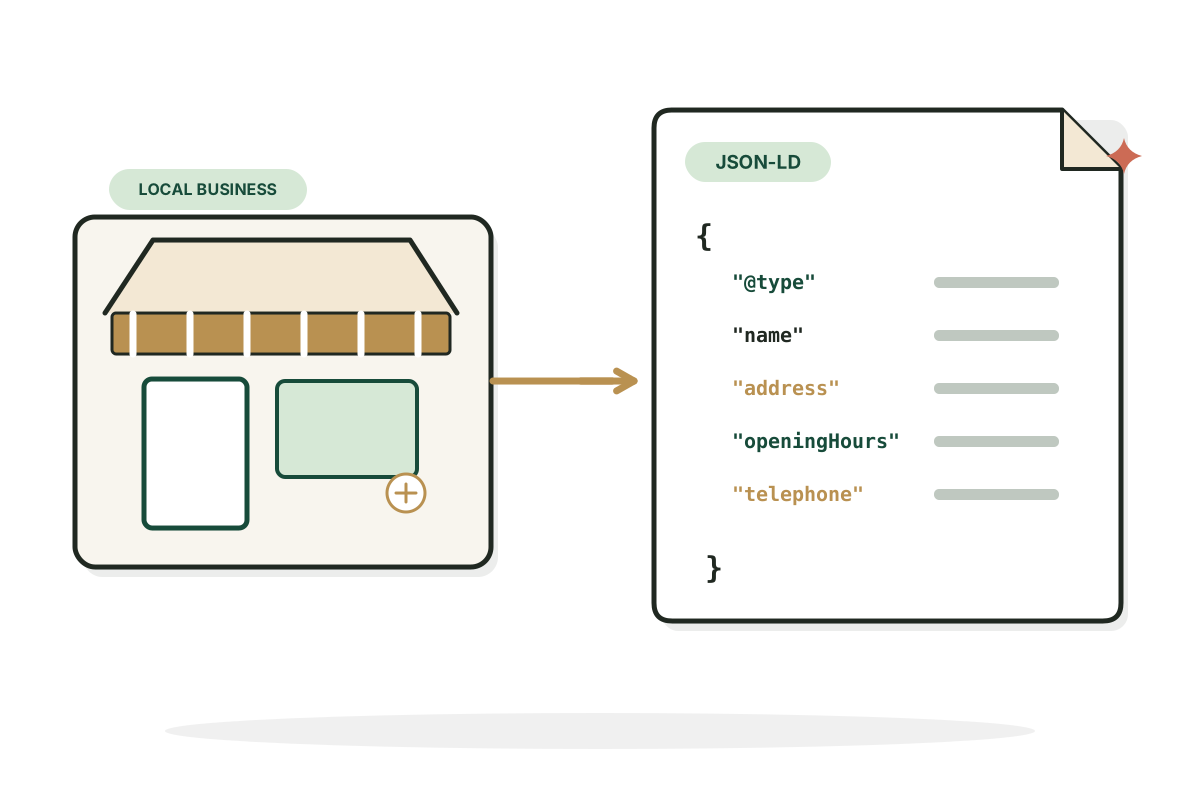
This local business schema generator turns your real business information into LocalBusiness structured data you can review and add to your website.
Help search engines understand your business details.
Free, no signup. Runs in your browser, nothing is sent anywhere.
Add the business name and website to start. Your JSON-LD builds here as you type.
How it works
How to use the Local Business Schema Generator in three steps.
- Step 1
Enter the public facts
Add public facts about the business and its location.
- Step 2
Review the markup
Check it carefully, especially phone, address and opening hours.
- Step 3
Add it and validate
Put it on the relevant page and validate with Google's Rich Results Test.
Examples
LocalBusiness schema, in practice.
Illustrative businesses to show what the markup includes. They aren't real listings.
A bike repair shop
Input: North Shore Bicycle Repairs, https://example.com, public address and phone. No stars, ratings, service areas or coordinates that weren't given.
ResultValid LocalBusiness JSON-LD with only those fields.
A dental practice with hours
Input: Harbor Family Dental, Dentist subtype, public address, phone and weekday opening hours. A more specific subtype fits better than plain LocalBusiness.
ResultDentist JSON-LD with address, telephone and openingHoursSpecification.
A café without a website phone
Input: Corner Street Café, CafeOrCoffeeShop subtype, address and opening hours, no phone listed. Fields you don't provide are left out rather than guessed.
ResultJSON-LD with name, address and hours, and no telephone field.
Good to know
Getting schema right.
What LocalBusiness schema is for
A standardized way to describe a business to search engines. Depending on type and page, it can communicate location, contact details and opening hours. The markup must match what people can see on the page.
Accuracy matters more than extra fields
Don't fill schema with keywords, fake reviews or an address the company doesn't use publicly. An invalid type or hidden claims can hurt rich result eligibility. Keep hours and contact details current, and use a more specific subtype when it fits.
What schema can't do
Structured data helps describe your page but does not guarantee a special search result or better ranking.
Sources
Google: LocalBusiness structured data and Google: structured data policies.
FAQ
Questions, answered.
What is LocalBusiness schema?
Structured data describing a local business's public identity, location and attributes in a machine readable vocabulary.
Where do I add schema on my website?
Usually as JSON-LD in the page HTML, following your platform's supported method.
Does LocalBusiness schema guarantee Google Maps rankings?
No.
Do I need to include a street address?
It depends on business type and eligibility. Don't fabricate or expose a private home address; check Google's current requirements.
Can I add review stars to my own business schema?
Avoid self serving or fabricated ratings. Google restricts review snippets for LocalBusiness and Organization.
How can I check whether the schema is valid?
JSON syntax check, Google's Rich Results Test and Search Console after deployment.

Want more local search traffic? Let's build it properly.
I fix the technical basics first, then build pages people actually search for.
See SEO services